Custom CB Radios

CB Radio Microphones for Sale

Shop CB microphones with compatibility, cab noise, and the way you use the radio in mind. Custom CB Radios helps you find a replacement that fits the radio and the problem you are actually trying to solve.

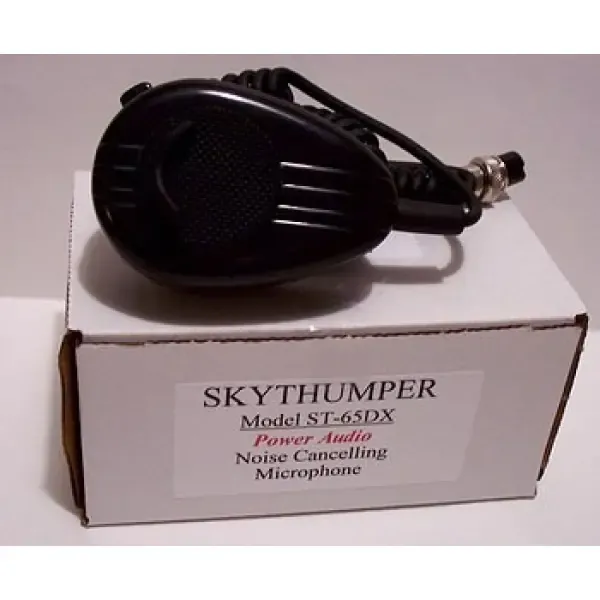
SkyThumper noise-canceling CB radio microphone available from Custom CB Radios

Clearer Transmit

The right microphone makes it easier to be heard without asking the radio to fix a problem somewhere else.

A CB microphone is the part you hold every time you talk, so it has to do more than plug in. It needs to match the radio, feel dependable in hand, and suit the place where you operate. A driver dealing with steady road and engine noise may need a different type of microphone than someone using a base station in a quieter room. Starting with that use makes the category easier to shop.

Custom CB Radios carries replacement CB microphones, noise-canceling models, power microphones, desk microphones, and microphone parts. That gives you a direct place to compare the type of mic you need while keeping the radio and connector in view. It also lets you replace a worn or damaged microphone without treating every weak-transmit symptom as a reason to buy a new radio.

Before ordering, have the radio make and model handy. If you are replacing an existing microphone, note what stopped working and whether anything changed around the same time. A cracked cord, loose plug, intermittent push-to-talk switch, or a connection that has been pulled hard can feel like a radio issue from the driver’s seat. The details help separate a straightforward replacement from a setup that needs a closer look.

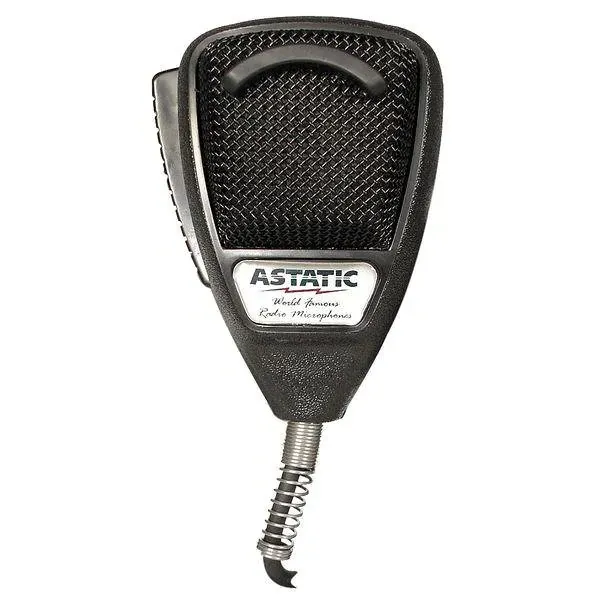
Astatic 636L noise-canceling CB radio microphone available from Custom CB Radios

Choose the Microphone

Start with the radio connection, then choose the microphone around the way you talk and drive.

The radio connection comes first. CB microphones are not universal just because the plug shape looks familiar. Pin count, wiring, and the radio model all affect compatibility. Before you choose a microphone, confirm the model you are running and the connection it uses. That small check can keep a replacement purchase from turning into a part that cannot do the job.

Then think about the environment. A noise-canceling microphone can be a smart option for a working truck where road, engine, and cab noise are part of every conversation. A power microphone may suit a customer looking for a different transmit feel, while a desk microphone can make sense for a base station. The best choice is not the loudest name in the category. It is the microphone that fits the radio, the location, and the way you operate.

Browse CB Microphones

Buy With Confidence

A few practical checks help match the microphone to the actual job.

01

Confirm the radio and connector

Keep the make and model in front of you before choosing a replacement. The connector and wiring need to suit the radio, and the mic has to work with the controls the radio expects. This is especially important when you are replacing an older microphone or working from a loose mic with no packaging or clear part number.

02

Match the mic to the operating environment

A microphone used in a truck cab faces a different sound environment from one used at a base station. If background noise is the problem, look at a noise-canceling option. If the radio is used from a fixed location, a desk microphone may be more comfortable. Let the conditions shape the choice instead of assuming one style works the same everywhere.

Shop Noise-Canceling Microphones
03

Check the plug, cord, and push-to-talk switch

A microphone that cuts in and out is not always beyond saving, and a replacement does not always solve the cause. Look for a plug that does not seat firmly, a cord that has been pinched or stretched, and a push-to-talk switch that feels inconsistent. Those visible clues can tell you whether the next move is a compatible mic, a part, or a repair conversation.

Shop Microphone Parts
04

Do not overlook the rest of the transmit path

When a radio receives but will not transmit, the microphone is worth checking, but it is not the only possibility. A power issue, antenna connection, coax problem, or high SWR reading can change what happens when you key the mic. Start with the symptom, what still works, and what changed before replacing parts at random.

Check a No-Transmit Symptom

Replacement or Repair

A new microphone is useful when it is the part that actually needs replacing.

Sometimes the decision is simple. The old microphone is damaged, the cord has failed, the switch has become unreliable, or you need a type of microphone that better suits the cab. In those cases, a compatible replacement gives you a clean way to get back to a microphone that feels dependable and comfortable to use.

Other times, the microphone is only where the symptom shows up. If the radio keys but no one can hear you, if transmit drops after antenna work, or if the problem comes and goes with power or vibration, pause before assuming the microphone is the full answer. The radio, antenna, mount, coax, and power connection all play a part in the system. Replacing one piece without noticing the rest can leave the same frustrating problem in place.

Custom CB Radios brings microphone choices, related parts, practical guides, and repair support together. You can shop the current microphone selection when the fit is clear, then move to the right next check when the symptom points beyond the handset. That is the advantage of working with a shop that understands the whole setup, not just the item in the box.

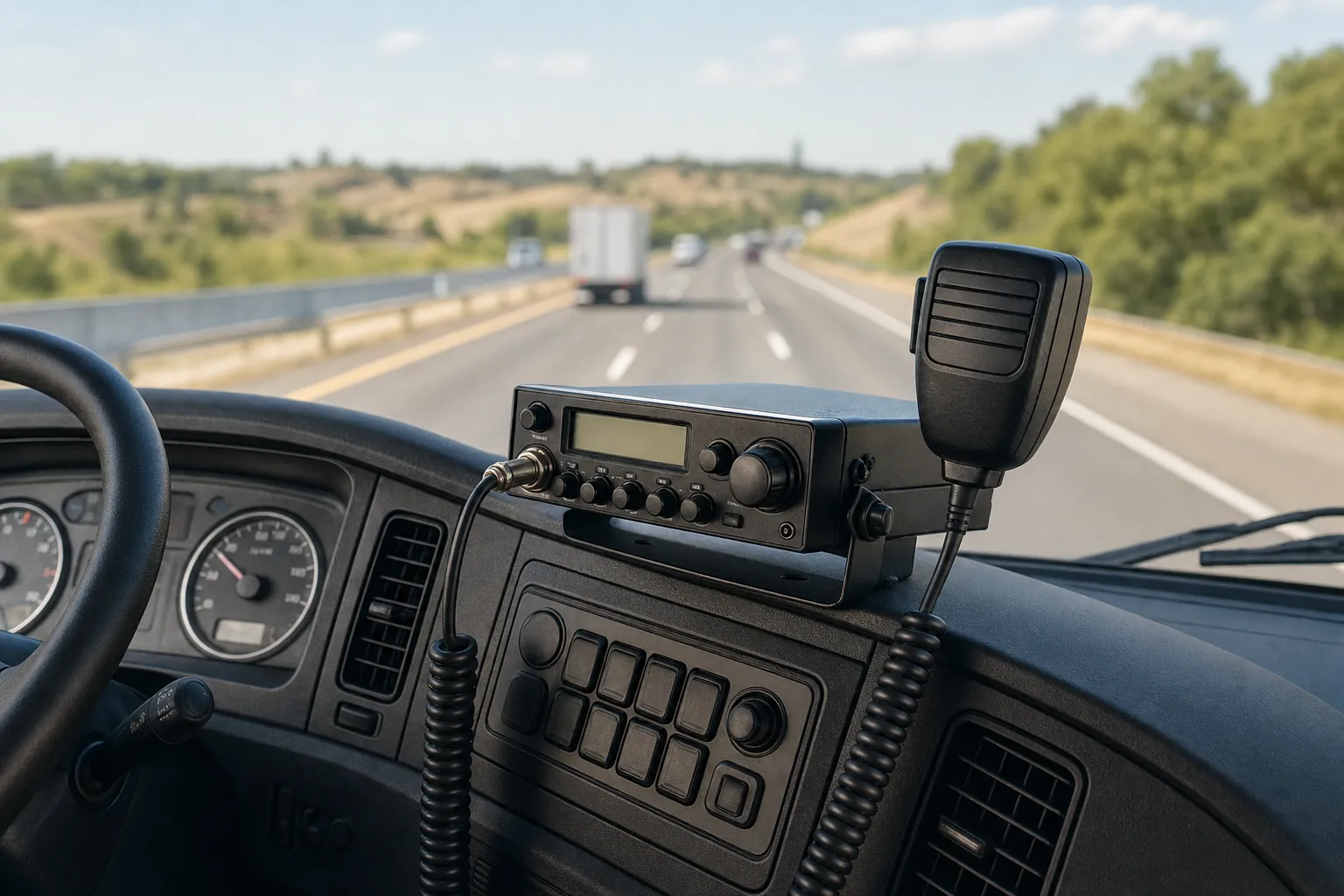
CB radio and microphone installed in a working truck cab

Before You Order

Bring the details that help you choose the right CB microphone the first time.

Start with the radio make and model. Then consider whether this is a replacement for a microphone that worked before, an upgrade for a noisy cab, or part of a new installation. If you are replacing an old microphone, a photo of the plug and a note about the symptom can be useful reference points while you shop. The clearer the radio and situation, the easier it is to avoid a mismatch.

For truck use, think about the noise around you, where the microphone will rest, and how often you need to reach for it. A mic should be easy to handle without adding clutter to the cab. For a base station, think about the desk or operating position, the existing radio connection, and whether a hand mic or desk mic suits the way you use the station.

If the microphone issue came with weak transmit, changed SWR readings, damaged coax, or a radio that will not key, work through the visible connections before you order. The CB microphone guide gives a practical overview of noise-canceling options, and the CB antenna page can help when the problem may be farther along the transmit path.

Customers choosing a radio at the same time can browse CB radios for sale, while drivers building out a cab can visit CB radios for truckers. When a symptom does not point to a simple replacement, the shop can also help you start a repair request with the radio model and a clear description of what changed.
FAQ

Frequently asked questions

How do I know if a CB microphone will fit my radio?+

Start with the radio make and model, then confirm the microphone connection before ordering. The number of pins and wiring arrangement matter, so a microphone that looks similar is not automatically a match. If you are replacing an existing mic, compare the radio and connector details rather than buying by appearance alone.

Will a noise-canceling CB microphone help in a truck?+

A noise-canceling microphone can be a useful choice when road, engine, or cab noise competes with your voice. It helps the person on the other end hear you more clearly, but it cannot correct an antenna, power, or radio fault. Make sure the rest of the setup is working before expecting a microphone to solve every transmit issue.

Can I replace only the microphone on my CB radio?+

Yes, when the radio is otherwise working and the replacement is compatible. If the radio does not key, the audio cuts in and out, or the problem started after another change, inspect the microphone plug, connector, antenna system, and power before assuming the microphone is the only cause.

What should I do if my CB radio receives but will not transmit?+

Check whether the radio keys when you press the microphone button, then look at the microphone plug and connection. A radio that keys but has no audio can point to a different issue than one that will not key at all. The receiving-but-not-transmitting guide explains the useful checks before starting a repair request.

Custom CB Radios

Choose a microphone that fits the radio and the way you use it.